
Kiro: A 101 Guide to Developing with Agents Without Losing Control
Introduction to Kiro fundamentals: Vibe, Specs, Steering, Hooks, MCP, Skills, and Powers.
AI-Assisted Development
Honest, hands-on experiences with AI coding tools: Amazon Q Developer, lessons after 6 months of AI-assisted coding, and a deep dive into Kiro.
3 articles
Kiro isn’t just “another AI assistant in your editor”. The core idea is to integrate agents into the development workflow with structure, repeatability, and alignment with your standards. In other words: moving from scattered prompts to a way of working that can scale.
Unlike other agentic IDEs focused primarily on generating code quickly, Kiro focuses on structuring intent within the repository itself, not just in the conversation.
This article is a 101 guide to understanding how all the pieces of Kiro fit together when the project isn’t trivial. It’s not a step-by-step tutorial, but rather a mental map to know when to use each concept and why it matters.
We’ll cover:
- What Kiro is and what problem it tries to solve.
- The two main modes: Vibe sessions and Spec sessions.
- How Steering and Hooks help you codify architecture and process.
- Where Kiro CLI fits in.
- What MCP, Skills, and Powers bring, especially for AWS projects.
1. My Experience with Kiro
I’ve been using it since it came out in preview.
I’ve gone through phases:
- Moments when I thought “this changes the way we work”.
- Moments when I had serious doubts.
- And weeks when I almost abandoned it.
But it’s been improving a lot. And today, it’s still my main IDE.
I’ve built several complete tools with Kiro. From internal utilities to more structured tools. And yes, I’ve spent… too many credits.
That also teaches you something important: where it really adds value and where it still has limits.
2. What is Kiro
Kiro is an agentic IDE that works directly on your repository, respecting your conventions and using your tools.
It allows you to:
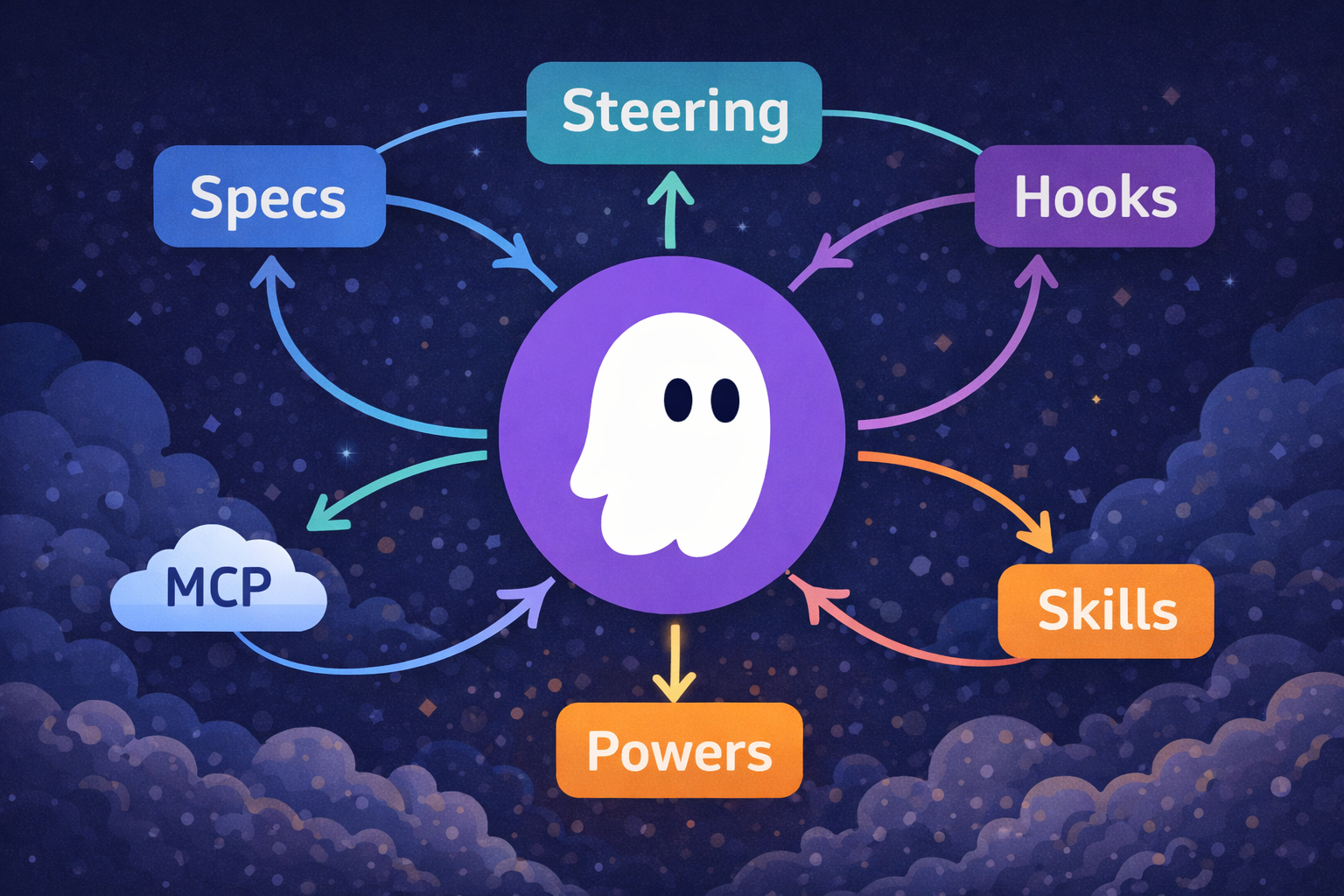
- Give the agent persistent context about your architecture, conventions, and standards (Steering).
- Use structured workflows when you need more control and traceability (Specs).
- Connect the agent with external tools and systems through the Model Context Protocol (MCP).
- Reuse knowledge in shareable packages: Skills and Powers.
Mental model:
Kiro is like a pair programmer who understands your repo, respects your rules, and can use external tools when needed.
Conversation matters, but what really scales is what gets versioned: specifications, rules, and automations.
Useful official documentation:
3. Two Ways of Working: Vibe and Specs
Kiro offers two modes that fit different day-to-day situations: Vibe sessions and Spec sessions.
3.1. Vibe (Vibe Coding)
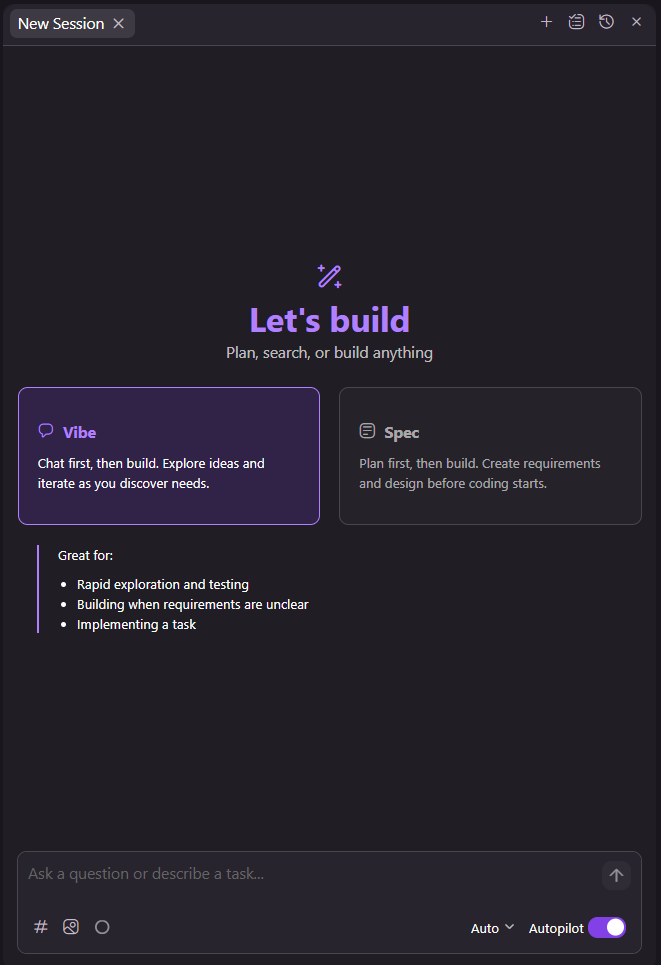
Vibe is the most natural and fast mode. You stay within the editor and talk to Kiro as you would with someone on the team:
- “Create a new Lambda handler for this use case.”
- “Refactor this function to improve readability.”
- “Explain this CDK stack and its components.”
- “Add unit tests for this service.”
In Vibe, Kiro:
- Reads your files and current context.
- Proposes changes.
- Applies edits to your project when you accept them.
It’s ideal for:
- Local and incremental refactors.
- Writing or updating tests.
- Generating boilerplate for components or functions.
- Questions about existing code.
3.2. Specs (Spec Mode)
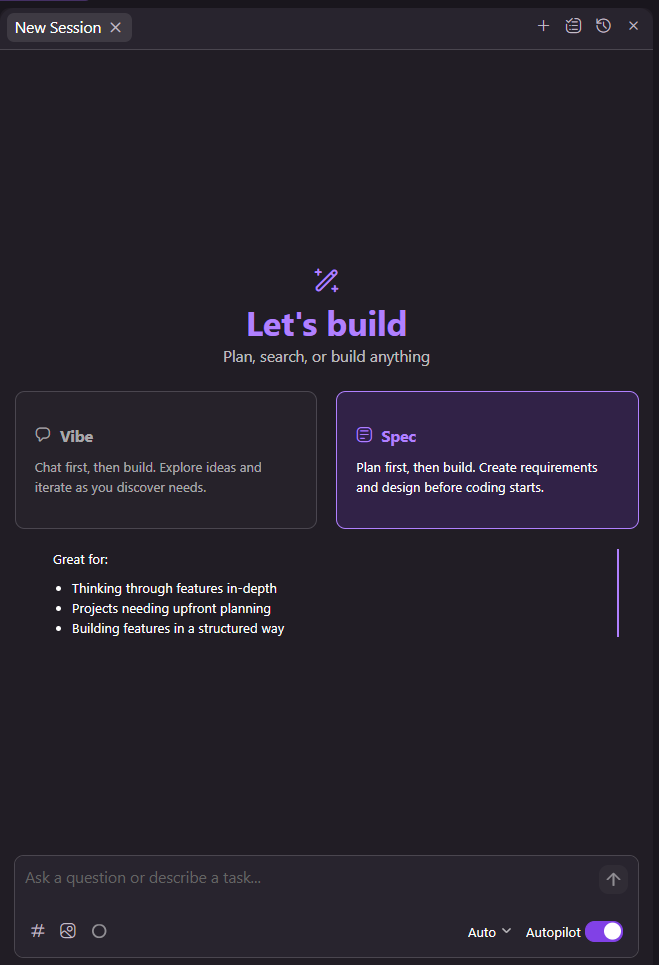
Specs is more structured. Instead of jumping directly to making code changes, you first define a specification of what you want to achieve.
In Kiro, a spec typically has this structure (generated in the .kiro/specs/<name>/ folder):
requirements.md(orbugfix.md): user stories + acceptance criteria, or bug analysis.design.md: technical architecture, decisions, and (if applicable) diagrams.tasks.md: implementation plan in discrete and trackable tasks.
Kiro works through specs in a 3-phase flow:
- Requirements or Bug Analysis
- Design
- Tasks
When the project has infrastructure, permissions, distributed architecture, or real non-functional requirements, improvising is no longer a good idea.
That’s where Specs starts to make sense.
More details (official docs):

3.3. When to Use Each Mode (Practical Rule)
The key isn’t to choose one mode and discard the other, but to combine them strategically based on the impact of the change.
- Use Vibe when speed and exploration are priorities.
- Use Specs when you want control, traceability, and alignment with non-functional requirements (security, reliability, cost).
4. Steering: Formalizing Standards and Architecture
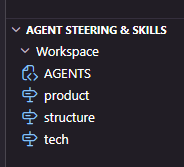
One of the most interesting concepts in Kiro is Steering: persistent rules versioned in the repository. It avoids repeating context in every conversation.
A steering file typically describes:
- How the project is organized.
- What technologies you use.
- What patterns you want to follow.
- What practices you want to avoid.
Additionally, the AGENTS.md standard has emerged, which several IDEs recognize. Kiro can coexist with that approach without problems.
What’s important isn’t the file name.
What’s important is that the rules are in the repo.
Example (AWS serverless backend):
1
2
3
4
5
6
7
8
# Steering - Backend Lambda Microservices (Node.js)

- Use Node.js 18 or 20 in all Lambdas.
- Group functions by domain: `backend/services/<domain>`.
- Thin handlers: parse event, call domain services, and build response.
- Business logic lives in services testable in isolation.
- Prefer few functions per domain (e.g., separate reads and writes) instead of a monolithic handler.
- DynamoDB: one table per domain when it makes sense; justify each secondary index by access pattern and cost.
Practical Tips on Steering
- Don’t turn Steering into documentation for humans. These are instructions for the AI. Be concise and specific.
- The longer the steering, the more context it consumes. Optimize it.
- Invest time here. This is where you’ll get the most return in the medium term.
- If your project grows, separate steering by domain.
Official docs:
5. Hooks: Integrating Kiro into the Workflow
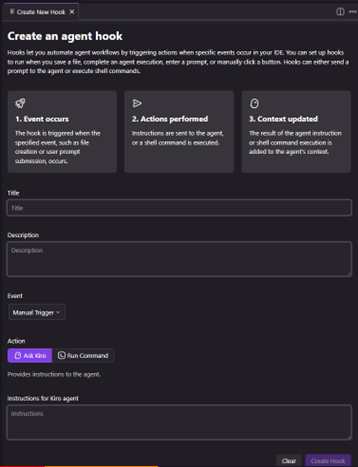
If steering defines the “how”, Agent Hooks define the “when”. This allows transforming recommendations into real automations within the workflow.
In Kiro, hooks are triggers that execute predefined actions when events occur in your IDE (e.g., saving a file, creating/deleting files, before or after executing tools, before or after executing tasks in a spec, etc.).
Important: a hook can execute:
- An agent prompt (“Ask Kiro”)
- A shell command
Official docs:
Useful examples for AWS:
- When files change in
infra/cdk/**:- Automatic review of security or cost risks.
- When a new Lambda is added:
- Validate it meets steering.
- Propose at least one unit test.
- Before a deployment:
- Summary of changes and possible architectural impact.
Practical Tips on Hooks
- Start simple. My base hook in almost all projects is:
- Run lint
- Run unit tests
- Run e2e
- Fix everything that fails
- I run it manually.
- Automatic executions on save can trigger unnecessary token consumption.
- Automate only when the pattern is already clear.
6. Kiro CLI: Bringing the Agent to the Terminal
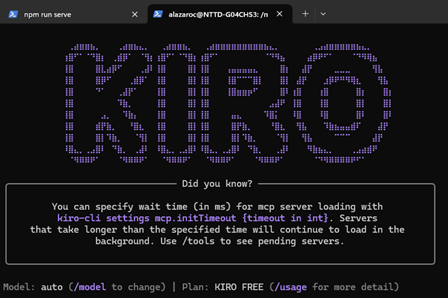
Kiro isn’t limited to the UI. There’s also Kiro CLI, designed to interact with the agent from the terminal and integrate it into automations.
The CLI is especially interesting in environments where assisted development needs to integrate into existing pipelines or automations.
Typical cases:
- Execute a spec-guided change from a script.
- Apply a set of already validated refactors.
- Generate or update documentation.
- Integrate it into CI or pre-commit for specific checks.
Command reference (official docs):
7. MCP, Skills, and Powers (the “Extensible” Part)
In addition to the above, there are three pieces that complete the puzzle: MCP, Skills, and Powers.
7.1. MCP (Model Context Protocol)
MCP extends Kiro by connecting it to servers that provide additional tools and context. With MCP you can:
- Access specialized documentation and knowledge bases.
- Integrate with external services and APIs.
- Use server tools.
- Use prompt templates and resource templates from chat (e.g., with the mention system
#...). - Respond to “elicitation” when a tool needs additional input during execution.
Official docs:
7.2. Skills
Skills are portable instruction packages that follow the open Agent Skills standard. They can include instructions, scripts, and templates, and Kiro can activate them when relevant to your task.
Official docs:
Examples of Skills that fit very well in AWS teams:
- PR checklist (security, observability, cost).
- Spec template for “sensitive” infra changes (IAM/VPC).
- Repeatable guide to create a new Lambda microservice (structure, tests, metrics, logs).
7.3. Powers
Powers are installable packages that group MCP tools, steering, and hooks into a single artifact. The goal is to encapsulate specialized knowledge and tools into reusable units activatable on demand.
Official docs:
Mental example:
- If a conversation starts talking about “database”, a Power with related keywords can activate and automatically load specific tools and documentation.
Practical Tips on Powers
- Don’t create overly generic Powers.
- Use them for clear domains: database, observability, security, etc.
- Think of them as “expertise activatable on demand”.
8. How to Get Started in 10 Minutes
A quick path (without getting into complex Powers yet):
- Install Kiro and open a sample repository (or a real non-sensitive one).
- In the Kiro panel, use Generate Steering Docs to create the first set of steering in
.kiro/steering/. Docs: Getting started - Do 2 quick tests in Vibe:
- “Explain module X and where the main logic lives.”
- “Propose a small refactor and add tests”.
- Create a Spec for a real but limited change (e.g., add an endpoint or CDK refactor):
- Requirements (acceptance criteria),
- Design (decisions),
- Tasks (steps). Docs: Specs
- Add 1 simple hook (IDE) to automate a routine (e.g., when touching
infra/**request security/cost review). Docs: Hooks
Conclusion
Kiro doesn’t aim to replace technical judgment or turn development into an infinite conversation with a model. Its proposal is different: integrate agents within a structured framework where intent, rules, and decisions are versioned.
In AWS projects, where changes can affect security, network, identity, or cost, having traceable specifications, formal standards, and coherent automations makes a real difference.
The value isn’t in using Specs for every task, but in knowing when to introduce structure. When architectural impact increases, formalizing intent stops being an option and becomes a necessity.
Kiro isn’t just an assistant. It’s a way to bring discipline to development with agents.